
Your video call background says more about you than you might think. Whether you're meeting with clients, interviewing for your dream job, or catching up with your remote team, the wall behind you can either make you look polished and professional or... well, not. In this guide, we'll break down the best background wall colors for video conferencing, share practical setup tips, and explore creative themes that'll make your next call way less boring. Plus, we'll show you how platforms like Kumospace are changing the game entirely.
Short Summary
- Your video background strongly shapes first impressions, affecting professionalism, focus, and perceived credibility within seconds.
- Neutral, muted wall colors like soft gray, beige, sage green, or muted blue work best, while bright, dark, or busy patterns distract and hurt video quality.
- A clean, intentional setup with good lighting matters more than expensive gear and helps you look polished and confident on every call.
- New platforms like Kumospace reduce background pressure altogether by shifting attention from static walls to more natural, interactive virtual spaces.
The significance of a zoom background wall

Here's the thing: people absolutely judge your background. It's not fair, but it's real. Studies show that viewers form impressions within the first seven seconds of seeing you on video, and your background plays a huge role in that snap judgment.
A good background wall helps you:
- Look more professional without trying too hard
- Minimize distractions so people actually focus on what you're saying
- Create visual balance that makes you the star of the show
- Show off your personality (when appropriate) or maintain neutrality
- Improve video quality through better contrast and lighting
On the flip side, a messy background, weird lighting, or chaotic colors can tank your credibility faster than you can say "unmute yourself." Your background is basically your silent coworker in every meeting, so it's worth getting it right.
Easy steps to set up your zoom background wall
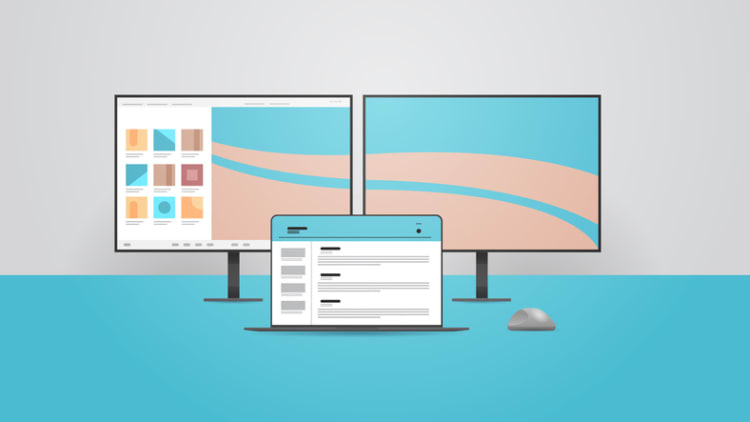
Setting up your Zoom background wall can be a simple and straightforward process. In the following sections, we will guide you through the physical and virtual setup of your background wall, ensuring that you have the perfect backdrop for your next virtual meeting.
First, you will need to decide on the size and shape of your background wall. You can.
Physical setup
If you're going the real-wall route (no virtual backgrounds), here's how to nail it:
Choose your location wisely. Find a spot in your home or office with good natural light and minimal foot traffic. Ideally, you want a wall that's already relatively neutral or easy to modify.
Clear the clutter. Remove anything distracting, personal, or controversial. That means clearing shelves, taking down random posters, and hiding the pile of laundry you swear you'll fold later.
Add intentional elements. Once you've cleared everything, add back a few tasteful items: a plant, some books, maybe some simple art. The goal is "curated," not "sterile."
Test from your camera's POV. Sit in your actual video call spot and check what's visible in the frame. You might be surprised by what your camera picks up.
Virtual setup
Using Zoom's virtual background feature? Here's the rundown:
- Open Zoom and click your profile picture
- Go to Settings > Background & Effects
- Choose from Zoom's library or upload your own image
- Enable "I have a green screen" if you're using one (it makes the effect way cleaner)
- Test it in a real call before your important meeting
Pro tip: Virtual backgrounds work best with good lighting and a simple, solid-colored wall behind you. If you're backlit or have a busy background, the edge detection can get wonky and make you look like a floating head.
Top 5 background wall colors for video conferencing

Alright, let's get into the colors that actually work:
1. Soft Gray (#F5F5F5 to #808080). Gray is the MVP of video call backgrounds. It's neutral enough to work for any professional setting, provides great contrast for most skin tones, and doesn't create harsh reflections. Light to medium grays are your safest bet.
2. Warm Beige (#F5F5DC to #D2B48C) Beige and cream tones create a warm, approachable vibe without being too casual. These colors work especially well in natural lighting and make you look more human and less like you're broadcasting from a corporate void.
3. Muted Blue (#B0C4DE to #4682B4) Blue backgrounds convey calm, trust, and professionalism. Just avoid anything too bright or saturated because it can create weird color casts on your face. Stick with softer, dusty blues.
4. Sage Green (#9DC183 to #87A96B) Green is having a moment, and for good reason. Sage and olive tones feel modern and fresh without being distracting. They work great if you want to stand out from the sea of gray walls everyone else is using.
5. Soft White (#FAFAFA to #FFFEF0) Pure white can be harsh, but off-white and cream shades provide a clean, bright backdrop that works beautifully with good lighting. Just make sure you're not getting washed out, which sometimes happens with very light backgrounds.
Colors to Avoid:
- Bright red (too aggressive and causes weird video compression)
- Neon anything (please, no)
- Pure black (makes you look like you're in witness protection)
- Busy patterns (incredibly distracting)
Themed video call background wall ideas

To further personalize your Zoom background wall, consider exploring a variety of themed ideas. Whether you’re looking for a professional and minimalistic style, a nature-inspired backdrop, or a pop culture and entertainment theme, there are endless possibilities to create a unique and engaging virtual space.
From abstract art to classic movie scenes, you can find a background that reflects your personality and interests.
Professional and minimalistic

Keep your video chat background clean and simple with:
- A single piece of abstract art
- A minimalist shelf with a few books and a plant
- Subtle wood paneling or texture
- A simple logo or company wordmark (if appropriate)
The minimalist approach works because it says "I'm organized and focused" without screaming "I spent three hours staging this."
Nature-inspired

Bring the outdoors in with:
- A wall of plants or a vertical garden
- Wood accent walls or panels
- Nature photography or landscape art
- Earth-tone textiles or hangings
Natural backgrounds feel calming and authentic. Plus, plants basically signal to everyone that you're a responsible human who can keep things alive.
Pop culture and entertainment
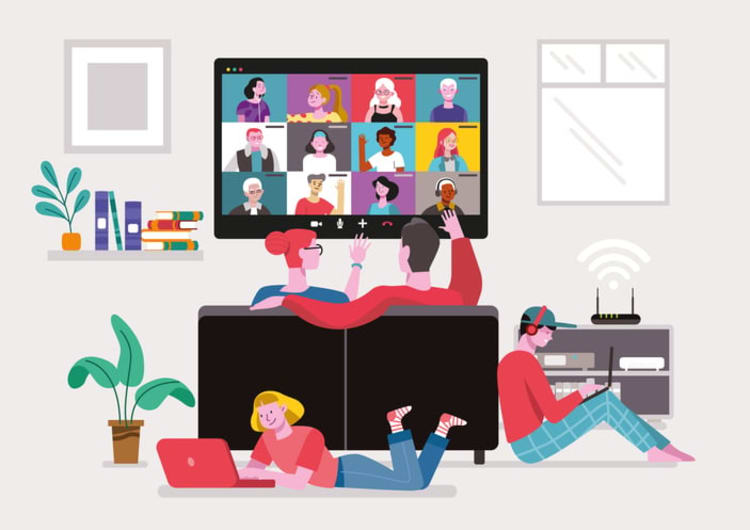
For more casual teams or creative industries:
- Framed movie posters or album covers
- Gaming setup (tasteful, not chaotic)
- Musical instrument display
- Collectibles or memorabilia
Just read the room. This vibe works great for creative agencies or internal team calls, but maybe not for your quarterly board meeting.
DIY Zoom background wall tips and tricks

Paint efficiently: Use peel-and-stick wallpaper or removable wall decals if you're renting. They come off cleanly and give you tons of options.
Create depth: Add a small shelf or floating desk behind you (but not in frame) to create visual interest without clutter.
Use fabric: Hang a solid-colored curtain or tapestry. It's cheap, removable, and you can switch it out whenever you want a new vibe.
Foam board hack: Buy large foam boards from an art supply store in your chosen color. Prop them against the wall behind you for an instant, damage-free background change.
Budget lighting: String lights or LED strips can create subtle backlighting that looks way more expensive than it is. Just keep them out of direct camera view.
Lighting considerations for your Zoom background wall
Your background color means nothing if your lighting is trash. Here's what matters:
Front lighting is crucial. Position your main light source in front of you, slightly above eye level. Natural window light works great if you're not backlit.
Avoid backlighting. If your only window is behind you, close the curtains and use artificial light instead. Being backlit turns you into a dark silhouette, which is only cool if you're in witness protection.
Three-point lighting = pro status. For video conference lighting, key light (main), fill light (softer, on the other side), and back light (separates you from the background) create the most flattering setup. You don't need fancy equipment; decent LED panels or ring lights work fine.
Color temperature matters. Stick with daylight-balanced bulbs (5000-6500K) for the most natural look. Warm lights can make you look yellowish, and cool lights can make you look like a corpse.
Customizing your Zoom background wall with company branding

If you're representing your company, subtle branding can work:
- A small company logo (not huge and overwhelming)
- Brand colors are incorporated naturally into the decor
- Branded books or materials on a shelf
- Subtle product placement if relevant
Key word: subtle. Nobody wants to feel like they're on QVC.
How to optimize your camera angle and position
Eye level is ideal. Your camera should be at or slightly above eye level. Looking up at the camera makes you look submissive; looking down makes you seem condescending.
Distance matters. Position yourself so there's a little breathing room above your head in the frame. You want to see from mid-chest up, not just your face or way too much wall.
Center yourself. Use the rule of thirds as a guide, but generally, you want to be in the center with balanced space on both sides.
Test your setup. Check your video conferencing equipment, record a quick video, and watch it back; you’ll notice details you might miss in the moment.
Troubleshooting common video conferencing background wall issues
Problem: Virtual background looks choppy.
Solution: Improve your lighting and try a green screen for cleaner edge detection.
Problem: Colors look weird on camera.
Solution: Adjust your camera's white balance settings or change your lighting setup.
Problem: Too much echo.
Solution: Add soft materials to your space (curtains, rugs, fabric) to absorb sound.
Problem: The background is too distracting.
Solution: Simplify. Remove 80% of what you think looks good and keep only the essentials.
A better Zoom Alternative: Kumospace
Look, traditional video conferencing is fine, but here's what's not fine: feeling exhausted after back-to-back Zoom calls, struggling to have natural side conversations, and staring at a grid of faces that makes you want to never speak to a human again.
That's where Kumospace comes in. Instead of the standard video call grid, Kumospace creates virtual spaces where people can move around and interact naturally. Walk up to someone to start a conversation, move away to end it, and actually have multiple conversations happening at once, just like in real life.
For your background? Kumospace takes the pressure off entirely. Since you're navigating a virtual space, the focus shifts from your physical setup to the interactions happening. You can still look professional, but the platform itself creates a more engaging environment where your background becomes just one small piece of a much bigger experience.
Plus, for remote teams, Kumospace brings back the spontaneous watercooler moments that make work actually feel human. You can host events, set up virtual offices, and create spaces that feel way more natural than staring at rectangles all day.
Summary
Your Zoom background plays a major role in how professional, credible, and approachable you appear on video calls. This guide explains why first impressions are shaped in seconds and shows how the right wall color, lighting, and setup can instantly elevate your presence. Neutral, muted tones like soft gray, beige, sage green, and muted blue work best, while bright, dark, or busy patterns distract and hurt video quality. With a clean, intentional setup, good lighting, and thoughtful camera positioning, you can look polished without expensive equipment. The guide also explores creative background ideas, practical DIY tips, common troubleshooting fixes, and how platforms like Kumospace shift focus away from static backgrounds toward more natural, human interaction.
Frequently Asked Questions
Warm neutrals like beige and soft gray work beautifully because they create nice contrast without washing you out. Avoid very cool tones like bright white.
You can, but it's usually distracting. If you love the pattern, use it on a wall that's partially visible rather than directly behind you.
No, but it helps. Zoom's AI can detect edges without one, but a green screen makes the effect much cleaner, especially around your hair and edges.
At least 3-4 feet if possible. This creates depth and separation that looks more professional and prevents harsh shadows.
Use removable wallpaper, hang fabric, or position yourself in front of a different wall. You can also embrace virtual backgrounds or upgrade to a platform like Kumospace, where it matters less.




