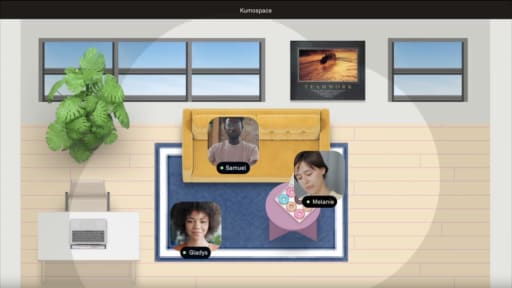
Halloween Team Bingo is a mingle-style game where players mark squares based on coworkers who match prompts, like "has a favorite haunted house story" or "has seen more than ten horror films." It's a quick, simple game for large groups, working from about 10 up to 100 or more people, and it plays equally well in person, hybrid, or as a fully virtual game using digital bingo cards.
Generate randomized cards with a mix of Halloween-spirit prompts and neutral work or hobby prompts. Players circulate in small groups, asking each other questions to find someone who fits each square. For hybrid play, use one shared set of prompts with physical cards in the room and an online version for remote employees, and have the facilitator call time every few minutes to keep things moving.
Costumes are optional and not required for any square. At least half the prompts should have nothing to do with a costume or horror, things like "prefers tea over coffee" or "has traveled to more than three countries," which brings in people who don't celebrate Halloween without making them feel like they're sitting out.
Limitation: In very quiet or brand-new teams, people may hesitate to approach others or unmute to ask questions. Assign small groups of three or four instead of open mingling so nobody stands around waiting for someone to talk to them.

Everyone drafts a complete spooky or funny story in exactly two sentences, then shares it aloud or drops it in chat. The constraint is the game: you have to land a setup and a twist in two lines. It suits groups of 4 to 40, and a 20 to 30 minute slot covers writing plus sharing for about 20 people; above that, split into breakout rooms that share internally and send one favorite each to the full group.
Give 3 to 5 example prompts to get imaginations running ("write about something that happened in the break room after midnight"). Allow 5 minutes to write, then run rapid-fire sharing in rounds. Optional voting for categories like "funniest," "least scary," and "most office-related" adds friendly competition without pressure.
For hybrid logistics, in-room people write on laptops or paper, remote folks type in chat, and the facilitator alternates between reading chat submissions and calling on volunteers. No costumes or props needed, and players can pick silly, not-scary themes if they dislike horror.
Limitation: Highly verbal teammates may dominate the share-out phase. Timebox each reading to 30 to 45 seconds and use chat reactions so quieter participants can vote or respond without speaking up.

A Halloween scavenger hunt at work keeps everyone moving at once, with individuals or small teams racing to find objects or snap photos that match a themed checklist, "something orange on a desk," "a shadow that looks spooky," or "a coworker's Halloween treat stash." For virtual Halloween games for work, use the same checklist format with home-office-friendly items, photo prompts, or short trivia challenges.
This version is built for 6 to 60 people using teams of 3 to 5. Prepare a list of 10 to 15 items or mini-challenges, set a 20-minute timer (or shorter for a tighter race), award points for each completed task, and end with a quick slideshow of submissions. A desk-to-desk treat hunt, where employees collect small Halloween candy along the way, works well as a variant.
For hybrid play, onsite teams search the workspace while remote teammates search their own desk or immediate work area, with everyone posting to the same channel. Write prompts so nobody has to show a private room, a family member, a home address, or anything confidential on screen, and include a few non-Halloween prompts like "a favorite mug" to bring in people who don't celebrate.
Limitation: Hunts can feel chaotic if rules are unclear. One simple scoring rule, one hard stop time, and one submission channel keep it from dissolving into confusion.

Guess the Ghoul is a guess-who game using teammates' childhood Halloween photos or old fall snapshots, collected ahead of time and displayed in a slideshow, with teams guessing which coworker is behind each picture. It works best for 8 to 50 people in a 20 to 30 minute segment and can run in the background during a broader office party with a final reveal.
Ask for photos in advance with explicit opt-in. Number the pictures, have players submit guesses individually or by team via a form or chat, then reveal answers with short anecdotes. For hybrid use, show the slideshow on a conference room screen and screen-share for remote folks, collecting guesses via forms or chat so remote employees are equally included.
Participants without Halloween costume photos can submit any old fall or school picture, and those who prefer not to share photos can still guess and comment, which keeps them involved without forcing personal disclosure.
Limitation: This requires enough people willing to share personal photos, so it can fall flat in very new teams or privacy-sensitive workplaces. If fewer than half your group submits, pair it with another game rather than running it standalone.

Costume contests work best as a short, structured segment rather than the whole event. Set up multiple categories like Most Creative, Best DIY, Most Low-Effort, and Best Desk Prop. One firm rule: costumes follow the same conduct and dress rules as any other day, and anything built on someone's culture, religion, or ethnicity is out.
This suits groups from 10 to 200, with 20 to 30 minutes of focused time. Above roughly 30 people, collect entries as photos in advance and run a live segment for finalists only, or the runway alone will eat the slot. Announce categories at least a week in advance, invite photo submissions for voting, run a quick live runway or slideshow, then vote through a poll or form, checking whether the tool records who voted, since some poll apps display voters' names and anonymity has to be set deliberately.
In-person participants can stand or walk past a laptop camera while remote colleagues show their look on screen, all judged from photos in one shared album, and kid or pet costume categories give remote workers on video a lighthearted way to join without dressing up themselves. Non-costume entries like decorated virtual backgrounds or Halloween-themed avatars should have their own award category.
Limitation: If only a few people dress up, it becomes a spectator event. Pair it with another interactive game, so non-costumed people still have something to do while finalists show off.

An escape room is a story-driven game where small groups solve riddles and unlock "rooms" on shared screens. It fits best for teams of 4 to 8 per room, works for remote teams and hybrid offices alike, and usually needs either a DIY puzzle kit or a third-party host. Expect about 45 to 75 minutes for a DIY session; Confetti's hosted Halloween Escape Quest is listed at 75 to 90 minutes.
For a DIY version, prepare a short haunted house or mystery narrative, a series of locked PDFs or password-protected pages, and clues solvable through screen sharing; no vendor needed, just a few hours of prep. If you'd rather use a hosted option, Confetti’s Halloween Escape Quest is remote-only and currently listed at $15 per person, with participants split into teams of up to five and support for up to 500 people. The Escape Game lists Remote Adventures at $30 to $35 per player plus tax, so confirm current pricing before booking.
Confetti's Halloween Escape Quest is remote-only and requires each participant to join from their own computer; for a hybrid event, use a separate format or vendor that explicitly supports hybrid participation. No costume is needed, and players can turn cameras off if they'd rather focus on the puzzle.
Limitation: Escape rooms are harder to facilitate without a confident host, and they fall apart if you only have 30 minutes. If nobody on your team wants to run hints and manage the clock, this isn't the right pick.

Murder mystery games give each participant a character, background, and secret objectives, then have the group question one another to solve a fictional case. Because the format forces cross-team conversation in a structured way, it works for building connections beyond the immediate team.
They work well for 8 to 20 people who can commit to 60 to 90 minutes, whether around a conference table or online using breakout rooms. Choose a pre-written kit or script, send character sheets a few days in advance, open with a brief rules explanation, then let characters question one another before a final accusation round. The format translates directly to video calls, so it's a popular virtual Halloween activity too.
For hybrid play, assign each character a digital dossier and have remote employees play equally critical roles, projecting them prominently in the conference room so the story doesn't center only on the people physically present. Costumes and props are optional; simple name tags or a themed virtual background work fine.
Limitation: This format can feel awkward for very reserved teams or those short on time, and it breaks down past the recommended group size without splitting into multiple mysteries, since too many characters dilute the story.

Halloween Never Have I Ever is a quick icebreaker where players hold up fingers or use reaction icons and respond to themed statements like "never have I ever carved a pumpkin at my desk." It suits smaller groups of roughly 5 to 20 and runs in 15 to 25 minutes, making it a good warm-up before a longer activity.
Write prompts about seasonal habits and workplace trivia only, nothing about personal history, relationships, or anything someone would regret admitting. Have everyone start with ten fingers up, read statements one by one, and ask those who've done the thing to lower a finger. Include non-Halloween items so everyone can participate regardless of whether they celebrate.
For hybrid groups, project prompts to the room while remote employees respond on camera or in chat, with the facilitator pacing the game so both sides stay synced. No costumes or props required.
Limitation: Even with careful prompt writing, some people find the format exposing. Keep the tone deliberately silly, and have the host skip any prompt that lands mid-game awkwardly.

Office pumpkin decorating has people paint, sticker, or accessorize mini pumpkins at their desks or on camera, then share the results, and it needs no artistic skill to be worth doing.
It suits groups of 5 to 40 and needs 45 to 60 minutes once you count setup and cleanup. Provide pumpkins or printable outlines, basic art supplies, set a timer, and play background music. At the end, hold a 10-minute gallery where everyone holds their pumpkin up at once, and you call out a few categories, rather than going person by person.
For hybrid logistics, ship or reimburse simple materials for remote employees, or offer a parallel option where they decorate a digital template and share their screens. People who dislike crafts can join as judges instead, a genuinely participatory role that still avoids small talk.
Limitation: Setup and cleanup take real time for in-person groups. This is a better choice if you can block at least 45 minutes and have a space you don't mind getting a bit messy.

Spooky Story Time is a guided circle where people share brief ghost stories, superstitions, or funny near-miss tales from set prompts, kept short so nobody launches into a fifteen-minute monologue.
It fits groups of 5 to 25 in about 20 to 30 minutes, with stories capped at 1 to 2 minutes. Ask for volunteers and cap each story at one to two minutes; smaller groups may hear from everyone, while larger groups should stop after about eight to ten stories to stay within the session. Prepare a handful of prompts like "a time something weird happened at work" or "the strangest superstition in your family," and allow written submissions for people who'd rather not speak live.
For hybrid play, gather onsite staff in a circle near a laptop, have remote employees appear on screen, and alternate between room speakers and remote speakers. Costumes are optional, and non-Halloween prompts like "a tradition where you grew up" make it friendlier for those who don't do horror.
Limitation: If the host doesn't firmly timebox each story, one or two enthusiastic storytellers will crowd out quieter teammates. Use a visible timer.

Halloween charades and Pictionary are drawing-and-acting games where one person on each team conveys a Halloween word or phrase while the rest guess against a timer. It's one of the few office Halloween games that plays identically in a room, on a call, or split across both, since everyone watches the same screen or the same person either way.
It works for 6 to 40 people in teams of 3 to 6. Write 30 to 40 prompts mixing Halloween words (haunted house, candy corn, ghost stories) with seasonal and general ones. Use a shared online whiteboard or a screen-shared drawing tool for the Pictionary rounds, set 60 to 90 seconds per turn, and score one point per correct guess.
Cover hybrid play by having every turn happen on camera or on the shared screen rather than at a whiteboard in the room, so nobody in the room has a sightline advantage over people watching remotely. Costumes are irrelevant here, and anyone who doesn't want to perform can be the scorekeeper, timekeeper, or prompt reader, genuine jobs rather than consolation roles.
Limitation: The acting rounds put a few confident people front and center. Rotate who draws or acts every turn rather than letting teams pick their best player each round.

A mini haunted house path is a light, not-scary desk walk where teams decorate a shared hallway or a series of desks with silly props for colleagues to stroll through in 10 to 15 minutes.
It works in offices with at least one small loop of desks. Concrete ideas: googly eyes on office supplies, paper bats, skeleton cutouts, fake spiderwebs used sparingly, and a simple map that guides people through without jump scares. Keep exit routes, exit signs, doors, sprinklers, alarms, and accessible paths completely clear, and check your building's rules before hanging anything.
For hybrid play, remote teammates can design digital rooms as linked slides that onsite colleagues visit by QR code, serving as design consultants, judges, or owners of specific virtual spaces. Decorations should be opt-in and aimed at shared spaces rather than individual belongings.
Limitation: Building elaborate displays can eat time and budget, so this is best if your team already enjoys decorating and you can set firm boundaries on noise and mess.

Low-prep virtual Halloween trivia is a structured question game that mixes Halloween, autumn, and general pop culture topics, from spooky movies and folklore to lighter questions like "what flavor is candy corn supposed to be?"
It works for 6 to 60 participants and fits into a 20 to 40 minute window with 15 to 25 questions, played in teams of 4 to 8 so no one person carries the whole team. It's one of the easiest virtual Halloween games to run, since any video meeting tool plus screen sharing will do.
Create a slide deck of questions with multiple-choice or short answers, form teams in breakout rooms or channels, score as you go, and announce winners promptly. For hybrid handling, show questions on a shared screen, have in-room groups huddle at tables with one answer sheet, and let remote employees answer through digital forms or chat. Include at least a third of questions that aren't horror-specific so the whole team can contribute, not just the scary movie buffs.
Limitation: Trivia can devolve into one person answering for the team. Rotate who speaks or writes answers each round to keep everyone involved.