
In today’s digital-first workplace, video meetings are part of everyday life. Whether you’re collaborating with teammates, presenting to clients, or leading a virtual workshop, how you appear on screen shapes first impressions and engagement. One of the most overlooked yet powerful factors is lighting. When done right, it helps you look confident, clear, and professional. In this post, we’ll explore why lighting matters for video meetings in Kumospace, compare natural and artificial light, and share practical tips and tools to elevate your on-screen presence.
Key takeaways
- Lighting is essential for successful video conferencing experiences, enhancing appearance and credibility.
- Natural or artificial light should be weighed in order to achieve the best results with various lighting solutions available.
- On-the-go options are also available, such as clip-on lights, portable ring lights, and travel-friendly desk lamps.
The importance of proper lighting for video conferencing
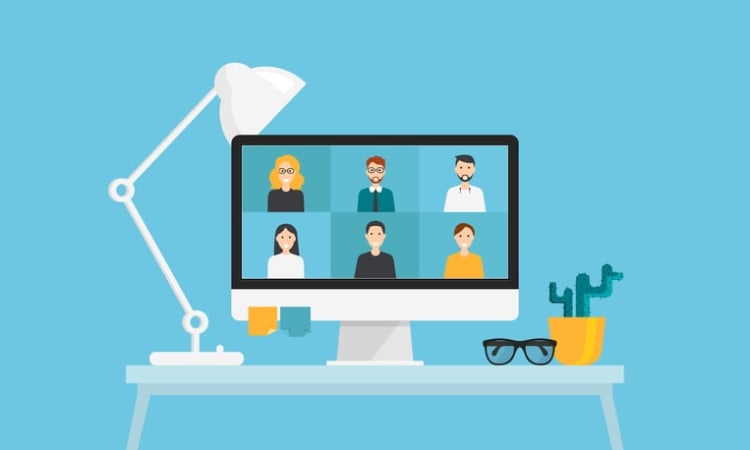
Successful video conferencing experiences highly depend on good lighting. Making sure the setup is up-to-date can make a big difference. Proper lighting not only enhances your appearance but also minimizes distractions and enables better communication. Good lighting ensures the person on camera looks their best and is clearly seen, making it easier for others to focus on the subject during the call. With tools like getting the light right can help to facilitate better communication and guarantee everyone in the virtual meeting can easily discern facial expressions and non-verbal cues.
As you navigate the world of video conferencing lighting options, you’ll encounter solutions like ring lights, desk lamps, and panel lights. Each offers unique benefits and features, allowing you to tailor your lighting setup to your specific needs and preferences. However, many advanced lighting features may not be necessary for the average person who simply wants to look good on everyday video calls.
Enhancing appearance and credibility
Good lighting instantly improves your on-screen presence, helping you look more professional and trustworthy in video meetings. Simple tools like ring lights, panel lights, or desk lamps let you control brightness and color for a natural, flattering look. Natural light feels soft and organic, while artificial light offers consistency and control.
Reducing distractions
Proper lighting removes harsh shadows and glare, keeping attention on the conversation instead of visual noise. Using a consistent color temperature, a neutral background, and avoiding bright colors further reduces distractions.
Facilitating better communication
Clear lighting makes facial expressions and body language easier to read, improving communication in Kumospace. Portable options like clip-on lights or compact ring lights help you stay well-lit and professional, even when working from different locations.
Natural light vs. artificial light: which is better?

Natural light provides a soft, flattering effect for video conferencing, but it can be inconsistent and hard to control. On the other hand, artificial light offers more control and consistency. That being said, achieving the best results requires selecting the correct type and setup for video conferencing.
Subsequent sections will provide a more detailed discussion of:
- The benefits and drawbacks of both natural and artificial light
- An overview of top lighting solutions
- Tips for setting up your video conferencing lighting
Benefits of natural light
Natural light offers numerous advantages for video conferencing, such as:
- Improved comfort and assurance for participants
- A more professional and aesthetically pleasing video
- Precise color and skin tone representation
- Cost-efficiency
- An attractive and natural appearance
It creates a gentle, positive atmosphere, making participants feel more comfortable and confident during video conferencing.
However, the variability and difficulty in managing natural light make it important to consider the time of day and the potential impact of fluctuating light on your video calls.
Drawbacks of natural light
One of the main drawbacks of natural light is its inconsistency and dependence on weather and time of day. Natural light can also cause glare and harsh shadows, which can be disruptive during video conferencing.
Achieving a well-lit, professional video conferencing setup requires balancing natural and artificial light sources, such as overhead lighting, to avoid poor lighting. Pairing proper lighting with a clean, well-chosen virtual background further enhances your on-screen appearance by minimizing distractions and creating a polished, consistent look in every meeting.
Pros and cons of artificial light
Artificial light provides more control and consistency compared to natural light, making it easier to create a professional-looking video conferencing setup. However, selecting the right type of artificial light, such as ring lights, panel lights, and desk lamps, is crucial for achieving the desired effect. Most artificial lighting solutions use LEDs to provide bright, even illumination and reduce harsh shadows.
The drawbacks of artificial light include difficulty in selecting the correct type, brightness, and color temperature for optimal video conferencing lighting. Experimentation with different lighting setups and making necessary adjustments are critical to achieving a well-balanced and professional-looking video conferencing setup.
Top lighting solutions for video conferencing

When it comes to selecting the best lighting solution for video conferencing, you have several options, including ring lights, panel lights, and desk lamps. Each of these lighting solutions offers unique benefits and features that can enhance your on-screen presence in a variety of settings. Many lighting solutions are available in a range of sizes and at affordable price points to suit different needs and budgets.
Subsequent sections will delve into these lighting solutions more deeply and provide tips for lighting setup to confirm you always look your best during virtual meetings.
Best ring lights for video conferencing
Ring lights provide even, diffused lighting that reduces harsh shadows, which is why they’re a popular choice for video conferencing. Available in a range of sizes and styles, they offer adjustable brightness and color temperature to help create a flattering, professional on-screen look that works well in most home or office setups.
These ring lights are designed to enhance your on-screen presence by providing adjustable brightness levels and color temperatures that complement your skin tone and overall lighting in your workspace. They can be easily set up and adjusted to create the perfect lighting conditions for your video calls. Some ring lights are especially powerful, offering ample brightness for professional video calls.
The Neewer 20-inch LED Ring Light Kit is often considered the best option for those seeking a balance of size, power, and features, and its box includes all necessary accessories for setup.
Top panel lights for video conferencing
Panel lights are compact, adjustable LED light boards that can be attached to a laptop or monitor for optimal lighting during video conferences. Some popular panel light options for video conferencing include the Razer Ring Light, Lume Cube Cordless Ring Light, and Cyezcor Video Conference Lighting Kit.
These panel lights offer the advantage of adjustable color temperature and brightness, allowing you to create the desired effect for your video calls. They are an excellent option for those looking for a versatile and customizable lighting solution for video conferencing.
Recommended desk lamps for video conferencing
Desk lamps are a practical way to improve video call lighting, offering adjustable brightness and color temperature for a more natural, flattering look. Popular options range from compact clip-on lights to full desk lamps with flexible arms and dimming controls.
A good video conferencing lamp helps balance shadows, match your skin tone, and adapt to different room conditions. Even a small boost in light can noticeably enhance how you appear on camera. The best part is that you don’t need an expensive setup; many affordable desk lamps provide the adjustability and consistency needed for a polished, professional on-screen presence.
Tips for setting up your video conferencing lighting
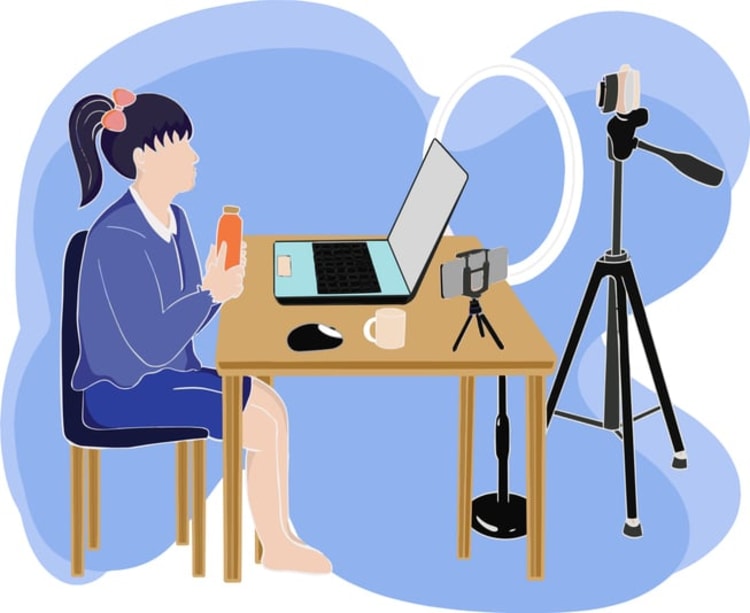
Setting up your video conferencing lighting involves positioning your light source correctly, adjusting brightness and color temperature, and balancing multiple light sources for a professional look. It's important to have your lights positioned at the right angle to avoid shadows and ensure even illumination on your face. By following these tips, you can create a well-lit and professional-looking video conferencing lighting setup that enhances your on-screen presence and guarantees that you always look your best during virtual meetings.
Upcoming sections will provide a deeper dive into each of these tips and offer practical advice on setting up your video conferencing lighting for optimal results.
Positioning your light source
To achieve optimal lighting for video conferencing, follow these steps:
- Position your light source in front of you at eye level or at a 45-degree angle.
- This will eliminate shadows and evenly illuminate your face.
- This positioning helps create a more natural and flattering appearance while minimizing distractions caused by harsh shadows or glare.
Adjusting brightness and color temperature
Adjust the brightness and color temperature of your light source to complement your skin tone and the overall lighting in your workspace. This ensures that your video conferencing setup appears natural and professional while minimizing distractions caused by harsh lighting or glare.
By experimenting with different brightness levels and color temperatures, you can find the perfect balance for your video calls.
Balancing multiple light sources
When setting up your video conferencing lighting, it's essential to balance multiple light sources, such as natural light and artificial light, to create a well-lit and professional-looking video conferencing setup. This balance ensures that your on-screen presence remains consistent throughout the meeting, regardless of the time of day or weather conditions.
On-the-go lighting solutions for video conferencing

For those who frequently travel or work remotely, on-the-go lighting solutions for video conferencing are essential to maintaining a professional appearance in Kumospace. Options such as clip-on lights, portable ring lights, and travel-friendly desk lamps ensure that you always have access to optimal lighting for your video conferences, no matter where you are.
In the sections that follow, we’ll delve deeper into these on-the-go lighting solutions and offer guidance on selecting the optimal lighting option for your needs.
Clip-on lights

Clip-on lights are portable and versatile, easily attaching to laptops or monitors for improved lighting during video conferences. Some popular clip-on light options include the Whellen Selfie Ring Light, Razer Ring Light, and Auxiwa Clip-on Selfie Ring Light.
These clip-on lights offer adjustable brightness and color temperature, allowing you to create the perfect lighting conditions for your video calls. They are an excellent option for those who are frequently on the go and need a portable and convenient lighting solution for video conferencing.
Portable ring lights
Portable ring lights offer the benefits of a traditional ring light in a compact, travel-friendly design, perfect for digital nomads and remote workers. Some popular portable ring light options include the Lume Cube, Auxiwa Clip-on Selfie Ring Light, and the Cyezcor Video Conference Lighting Kit.
These portable ring lights provide adjustable brightness levels and color temperatures, allowing you to create the perfect lighting conditions for your video calls no matter where you are. They are an ideal choice for those who need a compact and travel-friendly lighting solution for video conferencing.
Travel-friendly desk lamps
Travel-friendly desk lamps provide adjustable brightness and color temperature, making them a versatile lighting solution for video conferencing on the go. Some popular travel-friendly desk lamp options include:
These desk lamps offer adjustable brightness levels and color temperatures, allowing you to create the perfect lighting conditions for your video calls while traveling. With a travel-friendly desk lamp, you can maintain a professional appearance in Kumospace, even when you’re away from your usual workspace.
Enhancing Your Video Calls with Kumospace: Lighting and Beyond
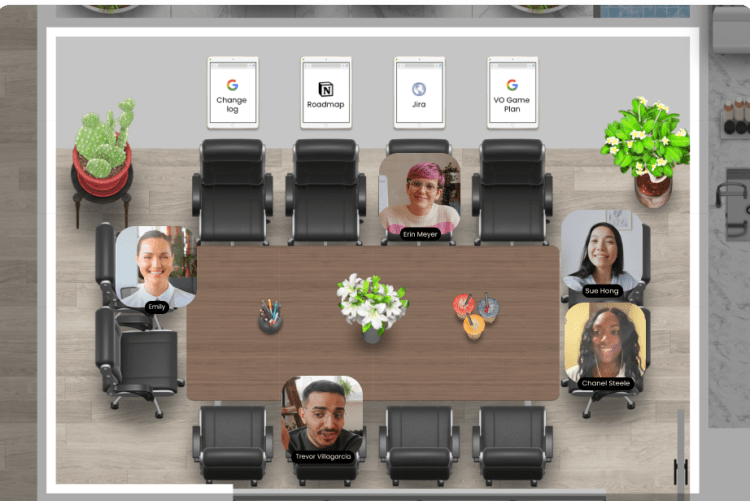
While traditional tips for optimizing lighting in video conferencing are invaluable, platforms like Kumospace are taking the experience a step further. Kumospace is an innovative video conferencing platform that offers unique features, impacting not just how you are seen but also how you interact in virtual spaces. Taking a comprehensive course on video conferencing setup can help users optimize lighting, audio, and background for the best results.
Immersive Environments and Lighting: Kumospace stands out by offering immersive, customizable environments for your meetings. These virtual spaces can be tailored, including their lighting aspects, to create the right ambiance for your meeting. Whether it’s a bright, professional setting for a business meeting or a dim, relaxed atmosphere for a casual catch-up, Kumospace allows you to control the visual tone.
Dynamic Interaction and Lighting Effects: One of the groundbreaking features of Kumospace is its dynamic interaction model. As you move your avatar closer to others in the virtual space, their video and spatial audio become clearer, mimicking real-life interactions. This feature, combined with smart lighting, guarantees that regardless of your physical environment’s lighting, your virtual presence remains consistent and professional.
Summary
Great lighting is the secret ingredient to looking polished and professional on video calls. Whether you opt for a ring light, a panel, or another lighting solution, the key is to find a setup that fits your needs and enhances your on-camera appearance. Take the time to experiment with different positions, brightness levels, and color temperatures until you find the perfect combination for your space and style.
Remember, even small changes, like adjusting your light’s angle or switching to a softer setting, can have a big impact on your video quality. Stay aware of your lighting throughout the day, especially if you rely on natural light that can change with the weather or time. By investing in the right tools and following these tips, you’ll be ready to elevate every video call, making a strong impression whether you’re connecting with colleagues, clients, or a wider audience. With the right lighting, you’ll always put your best face forward.
Frequently asked questions
For optimal video conferencing, it is recommended to use a "daylight" or "natural white" light with a temperature of 6500K. Some bulbs even feature this setting for convenience.
For optimal lighting during Zoom meetings, aim for even illumination across your face without any shadows. Utilize either ring lights with adjustable color temperature or indirect light from a front-facing angle to achieve a balanced and professional look. Avoid pointing the light directly at your eyes.
For the best lighting in close-up video, use a 3-point lighting setup with a key light positioned at a 45-degree angle from the speaker. This will provide optimal lighting and visibility for your recordings.
The use of natural light for video conferencing can provide a softer, more flattering effect while being energy-efficient and offering an organic appearance.
Position your light source correctly, adjust brightness and color temperature, and balance multiple light sources for the best results. This will ensure optimal video conferencing lighting.




