
A webinar is a live, online event that connects a host with an audience for a focused, interactive presentation or discussion. Unlike regular meetings, webinars offer tools for real-time engagement and larger audience participation. This article will compare webinars and meetings, providing a direct comparison of their features, use cases, and suitability for different types of events to help you decide which format is right for you.
So, what’s the difference between a webinar and a meeting, and how do you decide which one to use? This article will break down the key distinctions and help you identify which format suits your needs best.
Key Takeaways
- Webinars are interactive online events that facilitate real-time audience engagement through features like live chat and polls, distinguishing them from traditional meetings. Webinars are structured events designed for larger audiences, typically allowing for up to 1,000 attendees, while meetings are best for smaller groups where participants can interact freely.
- Choosing the appropriate webinar platform is critical, as it can significantly impact audience engagement and the overall success of the event.
- Post-webinar best practices, including analytics for engagement and personalized follow-up communications, enhance the efficacy of webinars and foster continued audience connection.
Understanding Webinars

A webinar is an online live event that connects an audience to a host through real-time presentations, offering an educational or instructional experience. Unlike passive online videos, webinars are interactive, allowing attendees to engage in real-time through questions or comments via live chat and Q&A features during the live webinar.
Webinars generally stand out due to several key differences in their features:
- Their interactive nature makes webinar attendees active participants rather than passive listeners.
- Hybrid webinars combine in-person and virtual audiences, reaching a broader demographic and enhancing the event’s impact.
- They offer valuable insights into the audience, allowing hosts to tailor content more effectively.
In webinars, there are typically distinct roles for presenters and attendees, where presenters can share their video, audio, and screens, while attendees usually have view-only access unless permitted otherwise. Most audience members in webinars have a passive role, primarily watching and listening to the presentation, unless the host enables interaction.
Webinars typically feature key speakers addressing a large audience, distinct from smaller, informal video conference meetings. Additionally, webinars can be recorded for future viewing, making them accessible to those unable to join live, thus extending their reach and impact.
Key Features of Webinar Software
Webinar software is crafted to efficiently host virtual events in a virtual lecture hall, allowing presenters to share video content with larger audiences. Key features include screen sharing, which enables the sharing of slides, images, videos, and documents, thereby enhancing the delivery of complex ideas.
Interactive features essential for making webinars engaging include:
- Live polls, which gauge audience attentiveness and display live poll results, foster a sense of participation.
- Chat functions, which encourage interaction among participants.
- High-quality screen sharing allows a clear presentation of content.
- Control management features, enabling hosts to manage participants by muting or blocking as needed. These features are often accompanied by similar features that enhance the overall experience, including more interactive sessions. Webinars often include Q&A, chat, and polling to facilitate interaction, whereas meetings are primarily focused on collaboration and discussion among participants.
Choosing the correct webinar platform is crucial. Key features include:
- An in-webinar chat that allows panelists to communicate with attendees and share resources.
- Advanced management tools for audience interactions, as offered by platforms like Zoom.
- Ensuring HD video and clear audio to create a seamless and interactive virtual experience. Webinars typically facilitate audience interaction through features such as Q&A, chat, and polling, allowing attendees to engage with the content and presenters.
Setting Up Your Webinar
Setting up a webinar requires several steps to ensure a smooth event. Platforms like Zoom allow scheduling of both one-time and recurring webinars with different expiration rules for webinar IDs. Hosts can initiate a webinar through the web portal, desktop client, mobile app, or calendar event, offering management flexibility.
Customizing the registration page is crucial. Hosts can add specific questions to the registration form or choose automatic approval of registrants. Only those who are invited can register and attend the webinar, allowing hosts to control access and participation. Attendees complete a form to receive a unique join link, helping collect valuable data and manage access efficiently. Ensuring a mobile-friendly design guarantees participants can join from various devices without issues. Some features may require registration.
Creating unique links for each participant and meticulously handling registrations ensures a secure and organized webinar experience. When setting up your webinar, be sure to select the appropriate plan for your platform to accommodate the expected number of attendees and desired features. This setup streamlines event management and enhances the overall attendee experience to create unique links.
Roles in a Webinar

In a webinar, only the host manages attendees and panelists comprehensively, with the authority to mute or remove attendees and control their interaction. The host can enable or disable chat and Q&A features for audience members, granting or restricting their ability to interact. Co-hosts share most of the host’s controls but can’t initiate the webinar themselves, making them essential aides.
Panelists in a webinar have full participation rights, including video and screen sharing. Designated panelists actively contribute to the content and interact with the audience. However, the host and panelists can restrict their permissions and promote or demote panelists as needed. Panelists also view the attendee list, helping them understand their audience better.
In webinars, audience members usually have view-only access, but they can interact through chat and Q&A features if enabled by the host. They can also be unmuted by the host or moderator for direct interaction. This structured role distribution ensures smooth operation and effective audience participation, enhancing interactivity and engagement during the collaborative event. Active speakers view only attendees, and one or more attendees can also benefit from this ability in the waiting room.
Engaging Your Audience

Engagement is crucial for a successful webinar. Real-time interaction through live chat and polls significantly enhances audience participation, encouraging attendees to ask polling questions and share their thoughts, fostering a lively and interactive environment. Webinars often include features such as Q&A, chat, and polling to facilitate interaction, but attendees generally cannot use their microphones or cameras or speak unless unmuted by the host.
Using multimedia elements like videos and slides can greatly enhance a webinar’s effectiveness. Key multimedia strategies include:
- Product demonstrations: visually showcase features and applications, making it easier for the audience to understand and appreciate the product.
- Strategic timing of polls: recapturing audience attention and facilitating smoother transitions.
- Displaying poll results: reinforce the importance of attendee input and maintain high engagement levels.
Interactive content like surveys and quizzes can enhance post-webinar engagement. Platforms like Livestorm excel in conducting live Q&A sessions, further boosting audience interaction. These strategies collectively ensure better engagement and a more enriching experience for the online audience.
Choosing the Right Webinar Platform
Choosing the right webinar platform is crucial for delivering a successful virtual event. Here are some popular options:
- Kumospace: Designed for interactive, high-engagement virtual experiences, Kumospace goes beyond traditional webinars. It offers immersive environments that keep attendees engaged and actively participating, perfect for webinars where connection and collaboration matter. Its intuitive setup, customizable spaces, and built-in audio/video tools make it a standout for teams that value both form and function. Companies can customize Kumospace to reflect their branding, reinforcing organizational identity and creating a tailored experience for participants.
- Zoom Webinars: Supports up to 1 million view-only participants and up to 1,000 panelists, making it ideal for very large audiences. Zoom Meetings, by comparison, can support up to 1,000 participants with interactive features like screen sharing, video activation, and attendee list management. Security features are robust, but it's important to select a plan that supports the desired number of participants and meets your security requirements.
- Demio: Offers solid marketing features and analytics, geared toward marketers who want to track engagement and conversions.
- WebinarNinja: Known for being user-friendly and affordable, especially for smaller teams or solo presenters.
- ClickMeeting: Great for recurring events, offering solid scheduling tools and integrations.
- Crowdcast: Focused on live streaming with multi-platform broadcasting options, popular among creators and educators.
- GoTo Webcast: Suitable for medium-sized events, supporting up to 3,000 attendees with standard webinar features.
- Microsoft Teams: Meetings can support up to 11,000 participants, with the first 1,000 able to engage fully and the rest joining in view-only mode. Webinars in Microsoft Teams support up to 1,000 attendees with interactive Q&A and polls, and up to 10,000 additional participants can join in view-only mode. Teams Premium offers advanced meeting protection, security, and branding options for a more personalized and secure experience.
Many platforms also support hosting recordings or event content on your site, allowing attendees to access sessions later and providing a central hub for your company's virtual events.
While each platform has its strengths, Kumospace stands out for teams that want more than just a broadcast; it creates a virtual space where real engagement happens. If your goal is to host memorable, interactive webinars that feel like more than another screen share, Kumospace is a smart choice.
Why Teams Use Kumospace for Webinars and Meetings
Platforms like Kumospace combine webinars, meetings, and virtual office collaboration into a more interactive experience through video conferencing and spatial audio. Unlike traditional webinar platforms that focus mainly on one-way presentations, Kumospace allows attendees to move naturally between conversations, participate in breakout discussions, and engage more actively during virtual events, training sessions, and company meetings.
Many remote and hybrid teams use Kumospace Virtual Office to host webinars, workshops, onboarding sessions, and collaborative meetings in one shared environment. Features like spatial audio, customizable virtual spaces, and live video conferencing help create a more social and engaging experience while improving communication, audience participation, and team collaboration across distributed organizations.
Types of Webinar Presentations
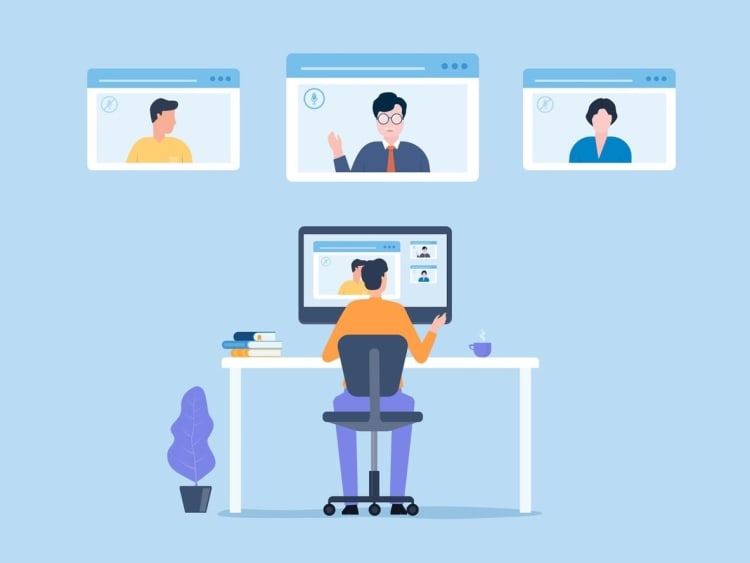
Webinars can take various formats, each serving different purposes. For example, a traditional presentation might involve a single speaker sharing slides, while interactive workshops can significantly enhance audience participation and learning by providing a hands-on experience. In these workshops, breakout rooms can be used to facilitate small group discussions, allowing participants to collaborate and engage more deeply with the material.
Fireside chats offer an informal conversation style, enabling personal storytelling and a deeper dive into insights, fostering a connection between the speaker and the audience during a smaller meeting session.
Debates encourage discussion by presenting contrasting viewpoints on relevant topics, intellectually engaging the audience, and sparking thoughtful discussions.
Panel discussions leverage insights from multiple experts, offering diverse perspectives that enhance audience understanding. This format is effective in comprehensively covering complex topics. Choosing the right webinar format allows hosts to tailor the experience to meet specific goals and audience needs.
Benefits of Hosting Webinars

Hosting webinars offers numerous benefits, making them a versatile and cost-effective alternative to traditional in-person events. Attendees can easily attend webinars from anywhere, often just by clicking a link, without the need for an organizational account. Webinars eliminate travel and venue rental expenses, allowing hosts to connect multiple locations and scale to thousands of attendees, making them ideal for large meetings and events with sizable audiences.
Unlike online meetings, which are designed for small-to-medium group interactions and real-time communication, webinars are structured for larger audiences with more controlled interaction. In online meetings, participants can talk freely, enabling open discussion and collaboration, while in webinars, attendee interaction is typically limited to Q&A or chat features to manage engagement at scale.
Webinars effectively educate audiences, build relationships, and establish business credibility. They serve various purposes such as lead generation, training, or product demonstrations. Access to recorded webinars on demand provides flexibility for attendees unable to join live, extending the content’s reach.
Webinars can be repurposed into various content formats, maximizing their utility across different marketing channels. Charging for attendance can also create a new revenue stream for organizations. These benefits collectively make webinars a powerful tool for modern businesses.
Post-Webinar Best Practices
To maximize webinar impact, following post-webinar best practices is essential. Analytics tools provide insights into engagement and attendance, enabling data-driven improvements. In Teams meetings, post-event analytics and follow-up are also important for understanding participant interaction and improving future sessions. Personalized follow-up emails reinforce key messages and maintain attendee engagement.
Recording webinars offers several advantages:
- Allows for replaying content later, extending its reach beyond live attendance.
- Platforms like LiveWebinar provide robust recording capabilities, enabling users to capture and repurpose live events.
- Using source tracking URLs in post communications helps assess the effectiveness of different marketing channels.
Implementing these post-webinar strategies ensures continued engagement and provides valuable insights for future events through a post-webinar survey.
Summary
Webinars and meetings may seem similar, but they are built for different types of communication and collaboration. Webinars are best for larger audiences and structured presentations, offering interactive tools like live chat, polls, Q&A sessions, and screen sharing to keep attendees engaged. Meetings, on the other hand, are designed for smaller groups where participants can freely collaborate, discuss ideas, and communicate in real time. Choosing between the two depends on whether your goal is audience engagement and presentations or active team collaboration and discussion.
Modern platforms like Kumospace, Zoom, and Microsoft Teams help businesses host both webinars and meetings more effectively. Kumospace stands out by combining webinars, virtual meetings, and collaborative virtual office features into one interactive environment with spatial audio, breakout spaces, and live video communication. Whether you’re hosting a training session, company update, workshop, or team brainstorm, using the right format and platform can improve communication, engagement, and the overall virtual experience.
Frequently Asked Questions
The primary purpose of a webinar is to educate and inform the audience through instructional content. This format is designed to engage participants and enhance their understanding of a specific topic.
Webinars are designed for larger audiences and typically showcase key speakers, enabling interactive sessions and real-time engagement, which sets them apart from regular meetings. This structured format enhances audience participation and information dissemination.
Key features of webinar software encompass screen sharing, live polls, control management, high-quality video and audio, and in-webinar chat functions. These functionalities enhance user engagement and facilitate effective communication during webinars.
To effectively engage your audience during a webinar, utilize real-time interaction features such as live chat, polls, and multimedia elements. Incorporating product demonstrations and conducting live Q&A sessions further enhances participation and connection.
To maintain engagement after a webinar, analyze engagement data and send personalized follow-up emails to participants. Additionally, provide access to the recorded webinar for future viewing and use tracking URLs to assess marketing effectiveness.




